The rapid evolution of network technologies has introduced numerous innovations that streamline operations and enhance performance. Among these, the Mellanox SN2100 series stands out as a powerful solution for Software-Defined Networking (SDN) and automated network management. This tutorial provides a comprehensive guide to configuring a Mellanox SN2100 switch from scratch, highlighting its capabilities, benefits, and the value it brings to modern networking environments.
Understanding Mellanox SN2100: The Foundation of SDN
What is Mellanox SN2100?
The Mellanox SN2100 is a high-performance, programmable switch designed for data centers and cloud environments. It leverages the power of Mellanox's Spectrum-2 ASIC technology, offering advanced features for SDN, network automation, and security. With support for a wide range of protocols and high throughput, the SN2100 is well-suited for demanding applications that require low latency and high bandwidth.
Key Features
Role in SDN
In the realm of SDN, the Mellanox SN2100 serves as a cornerstone. SDN decouples the network control plane from the data plane, enabling centralized and programmable network management. The SN2100, with its programmable ASIC, facilitates this decoupling by allowing network administrators to define and enforce policies dynamically.
Configuring the Mellanox SN2100: Step-by-Step
Initial Setup and Hardware Installation
Unboxing and Rack Mounting
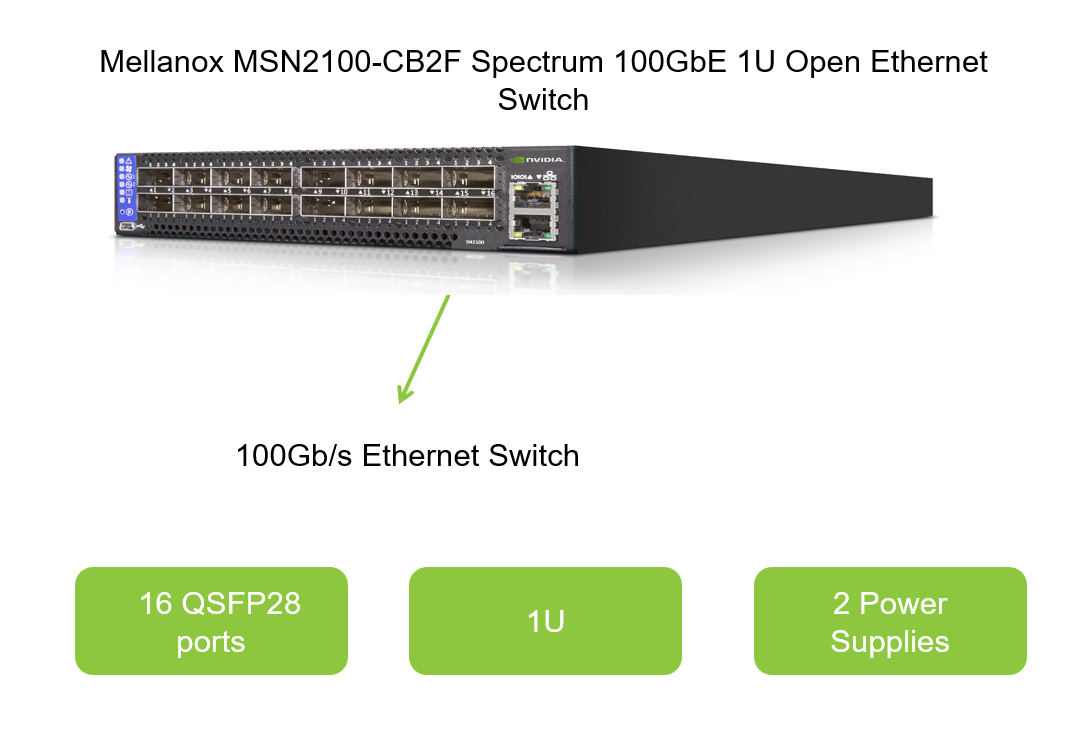
Begin by unpacking the Mellanox SN2100. Ensure all components are present and inspect for any damage. Follow the manufacturer's instructions for rack mounting the switch, ensuring proper ventilation and cable management.
Connecting Power and Network Cables
Power up the switch using the provided power cables. Connect network cables to the desired ports, ensuring proper cable management to avoid interference and maintain network integrity.
Basic Configuration via CLI
Accessing the CLI
Connect a terminal or laptop to one of the SN2100's console ports using a serial cable. Open a terminal application and set the appropriate baud rate (typically 115200). Power on the switch, and you should see the boot sequence and initial prompt.
Initial Configuration Commands
```shell
Log in with default credentials (check the Mellanox documentation for specifics)
login: admin Password:
Enter global configuration mode
configure terminal
Set the hostname
hostname SN2100-DC1
Configure management IP address
interface vlan 1 ip address 192.168.1.1 255.255.255.0 no shutdown exit
Save the configuration
write memory ```
Enabling SDN Features
Installing and Configuring Mellanox ONIE
Open Networking Install Environment (ONIE) allows for the installation of various network operating systems on Mellanox switches. To enable SDN capabilities, you may need to install a compatible NOS, such as Cumulus Linux or VMware NSX.
```shell
Access the ONIE prompt during boot
ONIE:
List available images
onie-install -l
Install the desired image
onie-install -i
Configuring the Network Operating System
Once the NOS is installed, log in and configure the network according to your SDN requirements. This may include setting up VLANs, defining network policies, and configuring routing protocols.
```shell
Example configuration in Cumulus Linux
Define a VLAN
ip link add link eth0 name eth0.100 type vlan id 100 ip addr add 10.0.100.1/24 dev eth0.100 ip link set dev eth0.100 up
Configure BGP or OSPF for routing
(Configuration details depend on your specific SDN architecture)
```
Benefits and Value of Mellanox SN2100 in SDN and Network Automation
Enhanced Performance and Scalability
High Throughput and Low Latency
The Mellanox SN2100's Spectrum-2 ASIC provides unmatched performance, supporting up to 512x100GbE ports with low latency. This makes it ideal for large-scale data centers and cloud environments where high throughput and low latency are crucial.
Scalability
With its ability to scale to thousands of ports, the SN2100 ensures that your network can grow with your business needs. This scalability is critical for organizations that need to accommodate increasing amounts of data and traffic.
Centralized and Programmable Management
SDN Integration
The programmable nature of the Mellanox SN2100 allows for seamless integration with SDN controllers. This centralizes network management, enabling network administrators to define and enforce policies dynamically across the entire network.
Automation and Orchestration
By leveraging network automation tools and orchestration platforms, organizations can streamline network operations, reduce manual errors, and improve overall efficiency. The Mellanox SN2100 supports a wide range of automation tools, such as Ansible, Puppet, and Chef, making it easier to integrate into existing DevOps pipelines.
Advanced Security Features
MACsec Encryption
The Mellanox SN2100 includes built-in MACsec encryption, providing robust security for data in transit. This is essential for protecting sensitive information and ensuring data integrity in modern networking environments.
Policy Enforcement
With SDN, network administrators can define and enforce security policies at a granular level. The Mellanox SN2100 supports a wide range of security protocols and features, such as ACLs, flow control, and traffic mirroring, enabling comprehensive security management.
Conclusion: The Future of Networking with Mellanox SN2100
The Mellanox SN2100 is a powerful and versatile switch that brings significant value to modern networking environments. Its high performance, scalability, and programmable nature make it ideal for SDN and automated network management. By leveraging the capabilities of the Mellanox SN2100, organizations can achieve centralized control, streamlined operations, and enhanced security.
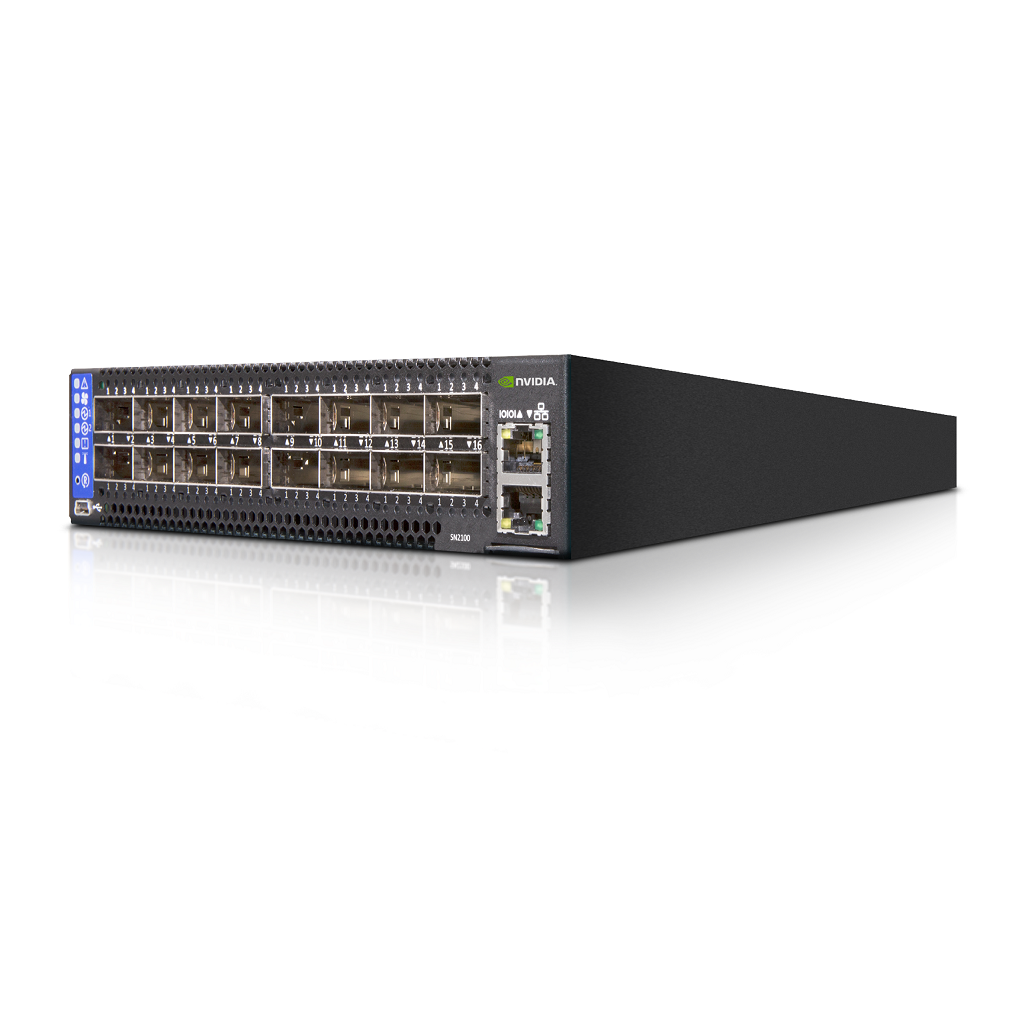
As networking technologies continue to evolve, the Mellanox SN2100 will remain a key component in the architecture of modern data centers and cloud environments. Its ability to adapt to new challenges and integrate with emerging technologies ensures that it will continue to provide value well into the future.
Whether you are a network administrator, a DevOps engineer, or a cloud architect, the Mellanox SN2100 offers a robust platform for building and managing high-performance, scalable, and secure networks. By configuring the SN2100 from scratch and leveraging its advanced features, you can unlock the full potential of SDN and automated network management, driving innovation and efficiency in your organization.


