Categories

Mellanox SN2100 Switch Upgrade Guide: Firmware and Feature Expansion Steps

This comprehensive upgrade guide aims to walk you through the process of upgrading the firmware and expanding the features of the Mellanox SN2100, ensuring optimal performance and leveraging its advanced capabilities. Understanding what the Mellanox SN2100 is, how it differs from traditional switches, and its distinct advantages forms the cornerstone of this guide.
Feb 11th,2025 156 Views

The Mellanox SN2100 switch represents a significant leap forward in network infrastructure, catering to the evolving needs of modern data centers. This comprehensive upgrade guide aims to walk you through the process of upgrading the firmware and expanding the features of the Mellanox SN2100, ensuring optimal performance and leveraging its advanced capabilities. Understanding what the Mellanox SN2100 is, how it differs from traditional switches, and its distinct advantages forms the cornerstone of this guide.

What is the Mellanox SN2100 Switch?

The Mellanox SN2100 is a high-performance, scalable, and flexible Ethernet switch designed for data centers and high-performance computing (HPC) environments. It offers unparalleled bandwidth, low latency, and robust security features, making it ideal for demanding applications such as artificial intelligence (AI), big data analytics, and cloud computing. The switch supports a range of port speeds, from 10GbE to 400GbE, and is engineered to handle the most intensive network traffic with ease.
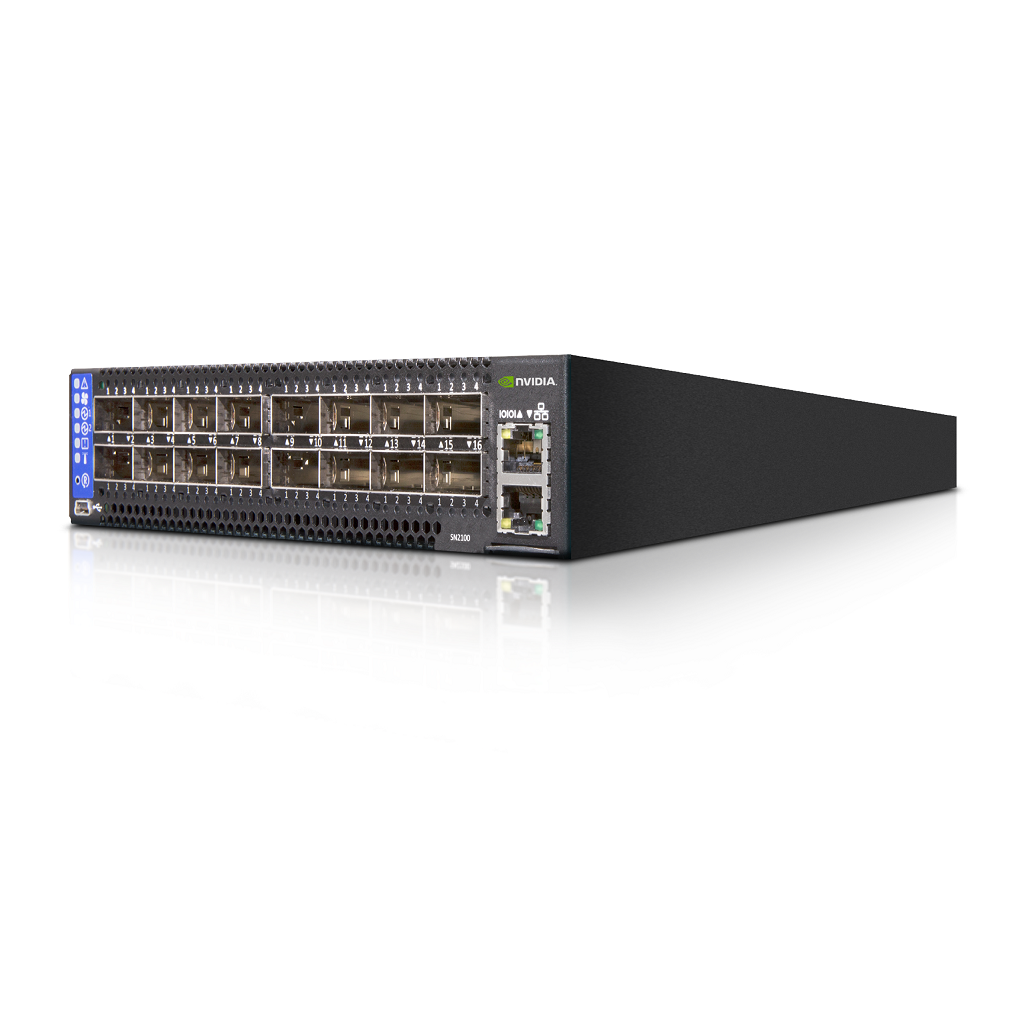
Mellanox SN2100 Switch Upgrade Guide: Firmware and Feature Expansion Steps

Key Differences from Traditional Switches

Unlike traditional switches, the Mellanox SN2100 is designed with a focus on advanced networking technologies and future-proof scalability. Here are some notable distinctions:

  • High-Bandwidth and Low Latency: Traditional switches often struggle with the bandwidth requirements of modern applications. The Mellanox SN2100, however, excels in providing ultra-high bandwidth and extremely low latency, critical for real-time analytics and high-frequency trading.
  • Scalability: The Mellanox SN2100 offers unparalleled scalability, allowing you to start with a smaller configuration and expand as your network grows. This is a significant advantage over traditional switches that may require a complete overhaul when scaling up.
  • Advanced Features: While traditional switches may offer basic networking features, the Mellanox SN2100 includes advanced features such as RoCE (RDMA over Converged Ethernet), AI-driven analytics, and comprehensive security protocols.

Advantages of the Mellanox SN2100

The Mellanox SN2100 switch boasts several advantages that make it a standout choice for modern data centers:

  • Enhanced Performance: With support for high-speed ports and advanced network protocols, the SN2100 ensures maximum throughput and minimal latency.
  • Future-Proof Scalability: Its modular design allows for easy upgrades, ensuring the switch remains relevant and capable of handling future network demands.
  • Comprehensive Security: Advanced security features, including encryption and intrusion detection, protect your network from potential threats.
  • Automation and Management: Integrated management tools and APIs facilitate easier network automation and reduced operational complexity.

Firmware Upgrade Process

Upgrading the firmware of your Mellanox SN2100 switch is crucial for benefiting from the latest features, performance improvements, and security patches. Below are the steps to guide you through the process:

Prerequisites

Before initiating the firmware upgrade, ensure you have:

  • Backup: A recent backup of your switch configuration.
  • Firmware Image: The latest firmware image downloaded from the Mellanox official support site.
  • Network Connectivity: Access to the switch via a management network.

Step-by-Step Upgrade Procedure

  1. Access the Switch Management Interface:
  2. Connect to the Mellanox SN2100 switch via SSH or the web-based management interface.
  3. Log in using your administrative credentials.

  4. Upload the Firmware Image:

  5. Navigate to the firmware upgrade section within the management interface.
  6. Upload the downloaded firmware image to the switch.

  7. Initiate the Upgrade:

  8. Select the uploaded firmware image and initiate the upgrade process.
  9. Follow the on-screen instructions and confirm the upgrade when prompted.

  10. Monitor the Upgrade Progress:

  11. The switch may reboot several times during the upgrade process. Monitor the progress through the management interface or via console access.
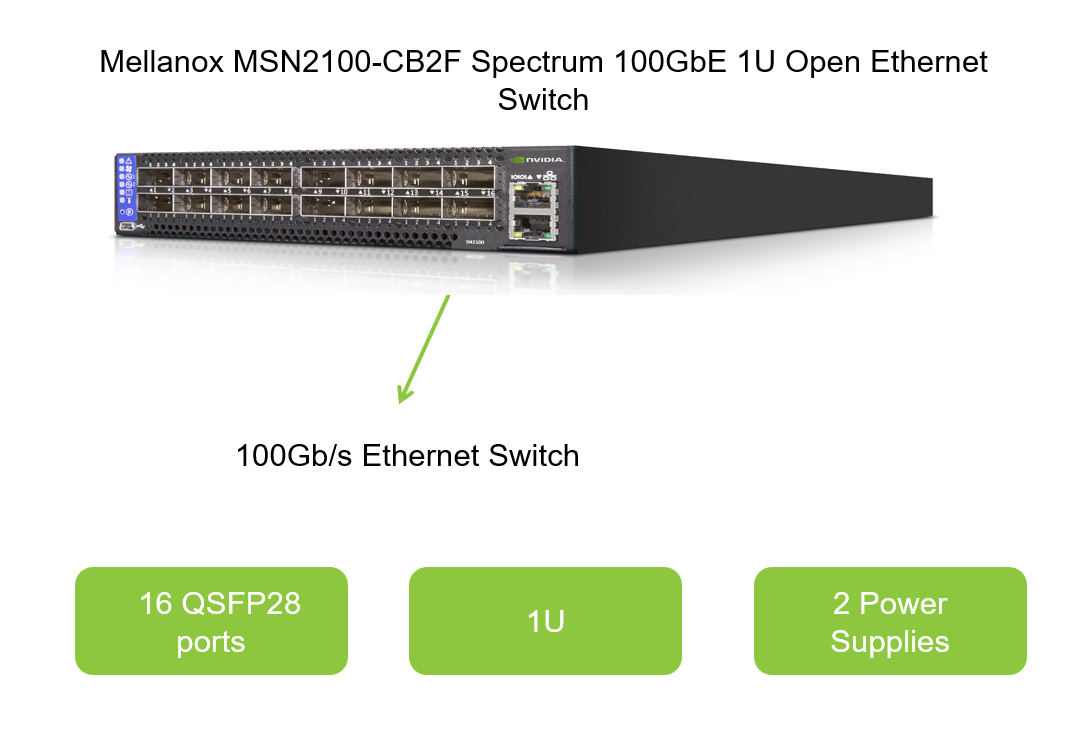
    Mellanox SN2100 Switch Upgrade Guide: Firmware and Feature Expansion Steps

  12. Verify the Upgrade:

  13. Once the upgrade is complete, log back into the switch management interface.
  14. Verify the firmware version to ensure the upgrade was successful.

  15. Restore Configuration:

  16. If necessary, restore your previous configuration from the backup.

Post-Upgrade Considerations

  • Testing: Thoroughly test your network to ensure all functionalities are working as expected.
  • Documentation: Update your network documentation to reflect the new firmware version.

Feature Expansion Steps

Expanding the features of your Mellanox SN2100 switch involves enabling and configuring advanced networking capabilities tailored to your specific needs. Here are the steps to guide you through the process:

Understanding Available Features

The Mellanox SN2100 supports a wide range of features, including but not limited to:

  • RDMA (Remote Direct Memory Access): Enhances data transfer speeds by bypassing the CPU.
  • VLANs (Virtual Local Area Networks): Segments your network into logical subnetworks for better management and security.
  • Link Aggregation: Combines multiple physical links into a single logical link for increased bandwidth and redundancy.
  • QoS (Quality of Service): Prioritizes network traffic based on predefined policies.

Enabling Advanced Features

  1. Access the Feature Configuration Menu:
  2. Log into the switch management interface.
  3. Navigate to the feature configuration section.

  4. Select and Enable Features:

  5. Identify the features you wish to enable.
  6. Follow the configuration wizards or manual settings to enable each feature.

  7. Configure Feature-Specific Settings:

  8. For each enabled feature, configure the necessary settings. For example, when enabling VLANs, you must define VLAN IDs and assign ports to the respective VLANs.

  9. Apply and Verify Configurations:

  10. Apply the configurations and verify that the features are enabled and functioning correctly.

  11. Monitor and Optimize:

  12. Continuously monitor the performance and behavior of the enabled features.
  13. Optimize settings as needed based on network traffic patterns and application requirements.

Leveraging Mellanox Software and Tools

Mellanox offers a suite of software and tools to facilitate the management and optimization of your SN2100 switch:

  • Mellanox LinkX: A network diagnostic tool that helps troubleshoot and optimize network performance.
  • Mellanox ONIE (Open Network Install Environment): Allows for easy installation of network operating systems on Mellanox switches.
  • Mellanox Network Manager (MNM): A centralized management platform for configuring, monitoring, and troubleshooting Mellanox network devices.

Utilize these tools to streamline the feature expansion process and ensure optimal performance of your Mellanox SN2100 switch.

Conclusion

The Mellanox SN2100 switch represents a pinnacle in modern network infrastructure, offering unparalleled performance, scalability, and advanced features. By following the firmware upgrade and feature expansion steps outlined in this guide, you can ensure your Mellanox SN2100 switch remains at the forefront of networking technology. With its distinct advantages over traditional switches, the Mellanox SN2100 is poised to revolutionize your data center operations, driving efficiency, security, and innovation.

By continuously updating your firmware and expanding the features of your Mellanox SN2100, you can harness its full potential, meeting the ever-evolving demands of modern applications and networks. Embrace the future of networking with Mellanox SN2100, and stay ahead of the curve in today's digital landscape.

REQUEST MORE DETAILS

Please fill out the form below and click the button to request more information about
Name
Your phone or Whatsapp
Email*
Country
CAPTCHA*
Verification Code
Leave a message
Name
Your phone or Whatsapp
Email*
Country
CAPTCHA*
Verification Code